TipRanks Stock Market Analysis
- 4.6
- Rating
- 500.00K
- Installs
- Free
- Price

 Analysis by App-foxy
If you are new to investing, opening a stock app can feel like walking into a room full of unfamiliar language. TipRanks Stock Market Analysis takes a research-first approach, bringing stock analysis, portfolio tracking, screeners, charts, exchange-traded fund information, and market news into one finance app. I found it most useful as a way to organize questions before making an investment decision, rather than as a button that tells me exactly what to buy.
The app is developed by TipRanks and is free to install, with optional in-app purchases ranging from $2.99 to $599.99 per item. It is rated for Everyone, works from Android 7.0 onward, and the current version is 3.46.1prod. Its listing shows a 4.6 average from around 9,400 ratings, while more than 500,000 people have installed it. Those figures suggest a well-established product, but they do not remove the need to check every conclusion against the underlying information.
What to expect when you open TipRanks
My first impression was that this is not designed merely to show a price ticker. The central idea is to help you move between discovery and research: find a company, inspect its chart, read related news, compare it with other possibilities, and then keep an eye on it through a portfolio or watchlist-style workflow. That makes it more suitable for deliberate research than for someone who only wants a quick glance at a single price.
You May Also Like

 Blood Strike: 2.5 Anniversary
Blood Strike’s Loadouts Turn Every Drop Into a Tactical Gamble
A close look at Blood Strike’s custom loadouts: how fast access to signature weapons reshapes its battle royale rhythm, rewards preparation, and narrows the gap between fights.

 Pandora - Music & Podcasts
Pandora’s Music Is Easy to Start, but Harder to Recover
Pandora’s strength is its low-effort path from a seed to a station. Its weak spot is how much confidence it asks you to place in connection, setup, and quiet recovery.

 8 Ball Pool
 Is Built on Rivalries, Rematches, and Routine
A close look at the rivalries, rematches, shared routines, and unanswered safety questions that turn a quick pool match into a persistent mobile community.

 Samsung Music
’s Quiet Strength Is Playing What You Already Own
Its reach comes less from spectacle than from dependable access to a personal library. That simplicity is both the app’s strongest retention engine and its ceiling.

 AccuWeather: Weather Radar
AccuWeather Review: A Quick, Clear Forecast for Everyday Decisions
For everyday plans, the best forecast is the one you can understand quickly. AccuWeather makes rain timing, radar, and local conditions easy to act on, with a few trade-offs.

 Hill Climb Racing
Why Hill Climb Racing Still Turns Crashes Into One More Run
A tiny car, a bumpy hill and one more upgrade: Hill Climb Racing keeps resurfacing because its simple chaos makes every near-miss feel personal.
More From Our News Desk



For a first-time user, the amount of information can be both the attraction and the main obstacle. A stock page may invite you to look at several types of evidence at once, while the screener can open up many possible combinations. I recommend resisting the temptation to explore everything immediately. Choose one company you already know, learn how its page is arranged, and only then start comparing unfamiliar names.
The app belongs to the finance category, but I would describe its role more precisely as a research companion. It can help you form a shortlist, review a holding, and keep market developments in one place. It is not a substitute for understanding risk, checking company filings, or deciding how much money you can afford to lose. That distinction matters especially for new investors, because a polished analysis screen can feel more certain than the real market ever is.
The best early goal is not finding a winning stock; it is completing one repeatable research routine. I would open a company, read the available analysis and news, inspect the chart over more than one time frame, and write down what would make me change my mind. Doing that once gives the app a practical purpose instead of turning it into an endless stream of scores and headlines.
Who will get the most from it
TipRanks suits people who want more structure than a basic brokerage app provides. If your broker shows holdings and order execution but leaves you searching elsewhere for research, this app can fill that gap. It is also useful for investors who follow several companies and need a single place to revisit their ideas without relying on memory or scattered browser tabs.
I can see a particularly good fit for a cautious beginner who wants to compare possibilities before placing a first trade. The screener can help narrow a broad market into a manageable list, and the combination of charts and news gives a starting point for asking better questions. More experienced users may appreciate the speed of moving from a broad search to an individual stock page, although they may still prefer specialized tools for deeper financial modeling.
On the other hand, I would skip it if your only requirement is placing trades. A brokerage app is the better choice for execution, account transfers, and order management. I would also be careful if you tend to treat analyst-style information as a prediction. TipRanks can organize signals and opinions, but no screen can turn uncertainty into a guarantee.
Setting up a useful starting point
After installing the app, I would keep the first session simple. Start with a company you already recognize or a fund you already own. This gives you a reference point: you can focus on learning the layout instead of wondering whether every unfamiliar term is important. If you begin with a completely unknown stock, the app’s information density may make it harder to tell what deserves attention.
Next, decide what kind of user you are. A long-term investor needs a different routine from someone monitoring short-term market movement. For long-term research, I would prioritize the company’s broader story, relevant news, and the shape of the chart over time. For a shorter watch, I would still avoid relying on a single daily move and would use the news context to understand whether a change is company-specific or part of a wider market reaction.
When building a portfolio view, enter only positions you genuinely want to monitor. A smaller, intentional list is easier to review than a collection of every company that has appeared in your searches. This is one of the quiet strengths of using a research app: it can expose how much noise you create for yourself. If a list becomes too large, the problem is not necessarily missing information; it may be a lack of a clear decision rule.
I also recommend separating “owned” from “interesting.” A company you hold deserves regular review because it affects your money. A company you are merely investigating should remain a candidate until it passes your own checks. Keeping those ideas mentally separate prevents a promising headline from feeling like a reason to buy and helps the portfolio view remain an honest reflection of your decisions.
Your first meaningful success
A realistic first success is completing a small comparison, not making a trade. Use the screener to reduce the market to a few candidates that match a question you can explain in plain language. For example, you might be looking for companies in a particular area that have attracted your attention, then compare their charts, available analysis, and recent news. The value comes from narrowing your research, not from accepting the first result.
Once you have a short list, open each company separately. Look for differences in the evidence rather than searching for a perfect score. One company may have a more interesting growth story but a chart that makes you uncomfortable. Another may appear steadier but offer less excitement. TipRanks is most helpful here because it encourages side-by-side thinking, while the final judgment remains yours.
My preferred workflow is to read the analysis before the headline news, then return to the news with a specific question. Does the latest report support the broader view, challenge it, or simply explain a temporary price move? This prevents the newest headline from dominating the entire decision. It is a small habit, but it turns the app from a news feed into a tool for testing an idea.
Charts deserve the same discipline. I would check whether the time period shown matches the decision I am considering. A short-term chart can make ordinary movement look dramatic, while a very long view can hide the details that matter to a near-term decision. The chart is evidence about market behavior, not a complete explanation of why the price moved.
A practical everyday scenario
Imagine that I am reviewing my investments on a Sunday evening and notice that one holding has received attention in the news. Instead of immediately reacting, I open it in TipRanks, review the recent coverage, inspect the chart over a broader period, and compare the company with another name in the same area. I then ask whether the new information changes the reason I bought it in the first place.
If the answer is no, I can leave the position alone with more confidence. If the answer is yes, I have a clearer reason to investigate further through primary sources or my brokerage account. The app has not made the decision for me, but it has shortened the path from vague concern to a specific question. That is a meaningful result for a free research tool.
Another useful scenario is preparing for a conversation with a financial adviser or an experienced friend. Rather than saying that a stock “looks good,” I can bring a more precise summary of what attracted me, what the chart suggests, which news matters, and what risks still bother me. This improves the quality of the discussion without pretending that app-based research is complete.
Where first-time users may get confused
The biggest source of confusion is treating every visible signal as equally important. A rating, a chart pattern, a headline, and a portfolio change answer different questions. A rating may summarize an opinion or analysis, a chart shows market behavior, a headline provides context, and a portfolio view shows your exposure. Combining them thoughtfully is useful; blending them into one automatic conclusion is not.
Another common mistake is assuming that a screener result is a recommendation. Screening is a filtering process. It helps you move from thousands of possibilities to a smaller group, but the quality of the result depends on the question you asked and the criteria you chose. If your filters are too broad, you will still have too many names. If they are too narrow, you may exclude a company for an arbitrary reason.
News can also create unnecessary urgency. Market stories are written to be timely, while investing decisions often need a longer perspective. I try to read a headline, identify the event it describes, and then ask whether it changes the company’s prospects or merely changes today’s mood. That pause is especially important for beginners, who may otherwise buy after enthusiasm or sell after fear.
There is also a practical trade-off around the paid elements. The app itself is free, but optional purchases can range from a few dollars to several hundred dollars per item. I would use the free experience long enough to understand whether the research workflow genuinely helps me before considering anything paid. A premium feature is worthwhile only if it answers a question I repeatedly face; paying for more information is not automatically the same as getting better decisions.
How it compares with familiar alternatives
A brokerage app usually wins when the task is execution. It is connected to your investing account and is built around orders, balances, and holdings. TipRanks is more comfortable before that stage, when you are deciding what deserves attention. Using both can make sense: research in one place, verify the decision independently, and execute through the broker.
A general financial news app may provide broader coverage and faster headlines, but it can be less focused when you want to investigate one stock systematically. TipRanks brings analysis, charts, screening, portfolio monitoring, and stock or exchange-traded fund news into a more connected path. The trade-off is that a focused research environment can feel busier than a simple news reader.
Spreadsheet tracking remains a strong alternative for people who want complete control. A spreadsheet can record your purchase reasons, target allocation, review dates, and personal notes in exactly the format you choose. TipRanks is faster for market information and discovery, but it does not replace the value of writing down your own reasoning. I would combine the two if I were building a serious long-term process.
Dedicated charting or fundamental-analysis platforms may be better for specialists who need advanced customization or detailed modeling. TipRanks makes more sense when convenience matters and you want several research angles together. Its strength is the connected workflow, not necessarily being the deepest possible tool in every individual area.
Small habits that make the app more useful
First, create a research note outside the app with three lines: why the company interests you, what could disprove the idea, and when you will review it again. This prevents the app’s displayed information from becoming your entire memory of the investment. It also gives you a way to notice whether your reasoning changes after the price moves.
Second, use the screener for questions rather than browsing. “Show me interesting stocks” is too vague to guide a decision. A question such as “Which companies should I compare in this area?” is more useful, because it gives you a clear next step after the results appear. The screen is a starting gate, not the finish line.
Third, review news in batches instead of reacting to every alert or new story. A scheduled check makes it easier to distinguish developments that affect your thesis from ordinary market noise. If you find yourself opening the app repeatedly without recording a reason, you are probably consuming information rather than using it.
Finally, compare an investment with the alternative of doing nothing. A stock that looks attractive in isolation may be less compelling than keeping cash, adding to an existing holding, or choosing a diversified fund. TipRanks can help you research the candidate, but your real decision is usually between several possible uses of your money.
Who should choose something else
I would not recommend making this your only tool if you need direct trading, tax documents, retirement-account management, or a complete personal-finance dashboard. Those tasks belong to a broker or a dedicated money-management service. TipRanks is strongest when the question is, “What should I investigate, and how can I organize that investigation?”
I would also suggest another approach for someone who knows they will be tempted to trade after every headline. In that case, a simpler long-term investing plan and fewer market checks may be healthier than a feature-rich research app. More information can improve decisions, but it can also encourage overconfidence and unnecessary activity.
For a user who wants to study individual companies, compare candidates, and keep an eye on a portfolio, however, the app offers a sensible starting point. Its Everyone age rating makes it approachable, although approachable does not mean risk-free. A beginner still needs to learn basic concepts such as diversification, position size, fees, and the difference between an opinion and a fact.
My final take after using it
TipRanks Stock Market Analysis works best when I treat it as a map, not a compass. It helps me find routes through stock research, connect charts with news, and keep potential ideas from disappearing into a pile of browser tabs. The free entry point makes it easy to test that workflow, while the optional purchases mean I would evaluate any upgrade carefully rather than assuming it is necessary.
The app’s main weakness is the same feature that gives it value: there is a lot to process. Beginners may need to slow down, learn what each section is actually showing, and avoid turning a visible score or recent headline into a complete investment thesis. Users seeking trade execution or highly specialized analysis may be better served elsewhere.
My recommendation is to install it with one modest goal: research a single company or fund and finish with a written reason for either watching it or walking away. If the app helps you do that consistently, it has earned a place in your routine. If it only makes you check prices more often, a simpler alternative may be the wiser choice.
FAQs for TipRanks Stock Market Analysis
01What features does TipRanks Stock Market Analysis offer?
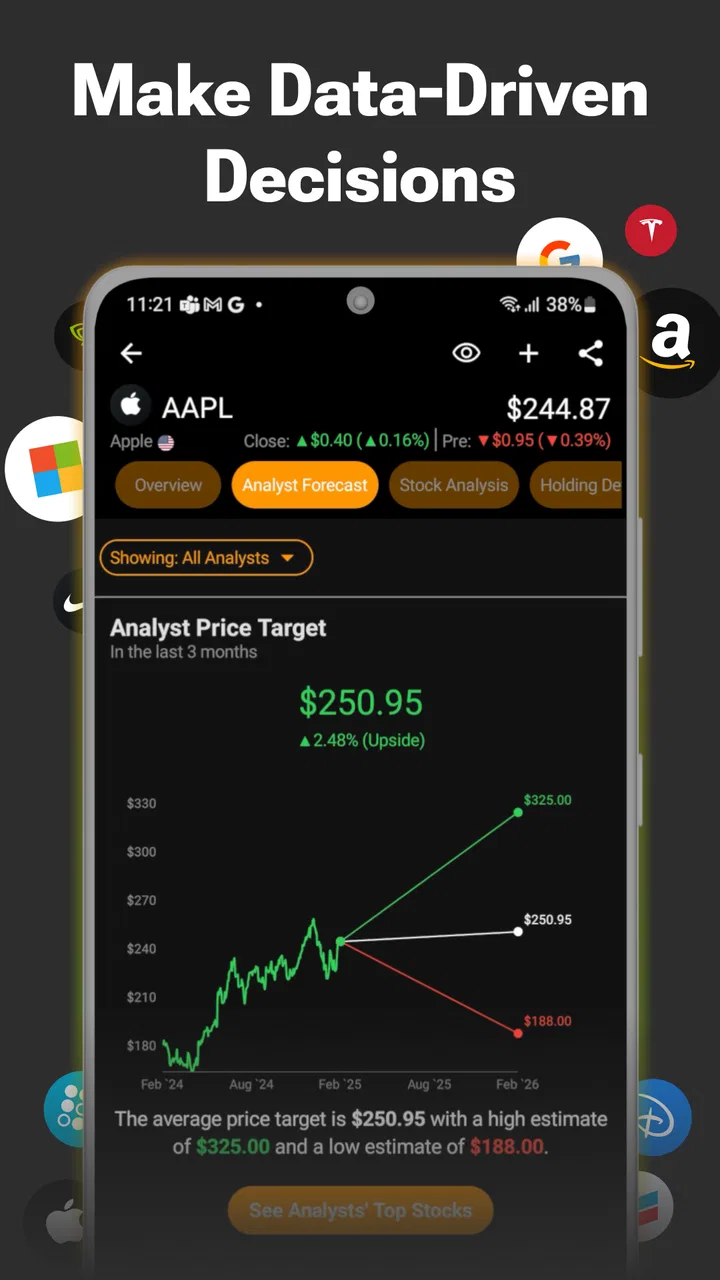
TipRanks provides users with a comprehensive suite of tools for stock market analysis, including stock ratings, analyst forecasts, and portfolio management. The app also offers in-depth research tools, such as insider trading data, news updates, and market trends, allowing users to make informed investment decisions based on reliable data.
02Is TipRanks suitable for beginner investors?
Yes, TipRanks is designed to cater to both beginners and experienced investors. The platform offers easy-to-understand insights and data visualizations, making it accessible for novices while still providing the depth and detail that seasoned investors require. Additionally, the app includes educational resources to help users enhance their market knowledge.
03How accurate is the data provided by TipRanks?
TipRanks is known for its accuracy and reliability, aggregating data from verified analysts and financial institutions. The platform employs advanced algorithms to ensure the information is up-to-date and precise. However, as with any financial tool, it’s advisable for users to conduct additional research and consider multiple sources before making investment decisions.
04Does TipRanks offer real-time stock market updates?
Yes, TipRanks delivers real-time market updates and alerts, ensuring users have the latest information at their fingertips. This includes live stock prices, news feeds, and analyst ratings. Real-time updates help users stay informed about market movements and make timely decisions in response to changing conditions.
05Is there a subscription fee for using TipRanks?
TipRanks offers both free and premium subscription options. The free version provides basic features, while the premium subscription unlocks advanced tools, such as detailed analyst reports and personalized alerts. Pricing varies depending on the chosen plan, and users can select the option that best suits their investment needs and budget.
Pros
- Comprehensive financial data access.
- User-friendly interface for beginners.
- Real-time market updates available.
- Customizable watchlists and alerts.
- Expert analyst ratings and insights.
Cons
- Requires subscription for full features.
- Occasional app performance lags.
- Limited interactive charting tools.
- No offline mode for data access.
- Ads appear in the free version.

TipRanks Stock Market Analysis
Gallery